
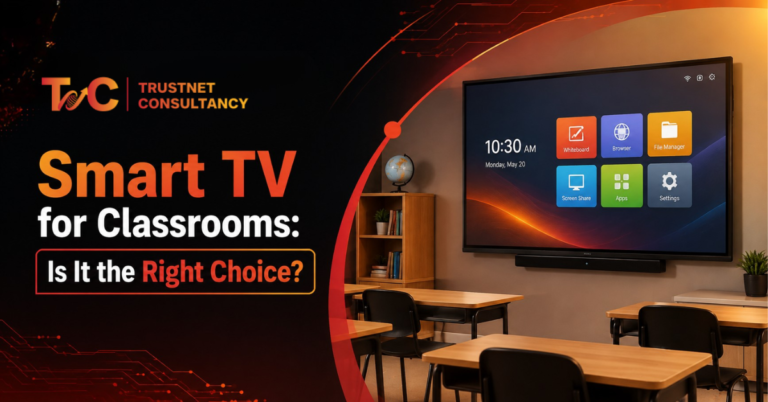
Putting a smart TV for classrooms doesn’t automatically make it a smart classroom. It just makes it a room with a bigger screen.
What actually matters is how teachers teach, how students take part, and how much interaction a lesson really needs.
A large display helps with video-heavy lessons and presentations. It does far less for a class built around writing, annotation, and group problem-solving.
Classroom size, internet connectivity, and daily usage all factor in too. A screen that works well in a small tutorial room might fall short in a packed lecture hall.
So before buying anything, schools need to answer one question: are you looking for a screen to present content, or a system for active teaching?
That single distinction shapes everything else in this decision, from screen size to budget to how much training staff will actually need.
What Can a Smart TV for Classrooms Actually Do?
Before comparing hardware or prices, it helps to look at what this kind of display realistically handles day-to-day and where it starts to struggle.
Most schools jump straight to specs and pricing, but the more useful starting point is: what will this screen be doing for six hours a day, five days a week?
Where Smart TVs Work Well
A smart TV covers a lot of standard classroom needs without added complexity:
- Presenting PDF or PowerPoint-based lessons
- Playing educational animations and videos
- Running recorded tutorials or online classes
- Screen mirroring from teachers’ phones and laptops
- Showing charts, diagrams, and demonstrations
- Showing visual materials and digital textbooks
Classrooms centred on online teaching and screen sharing; this covers the majority of what’s essential.
Teachers comfortable with slide lessons usually don’t see the difference between it and the more expensive options. The setup is quick enough. You have to plug it in, connect to Wi-Fi, and most employees can start using it that day onward.
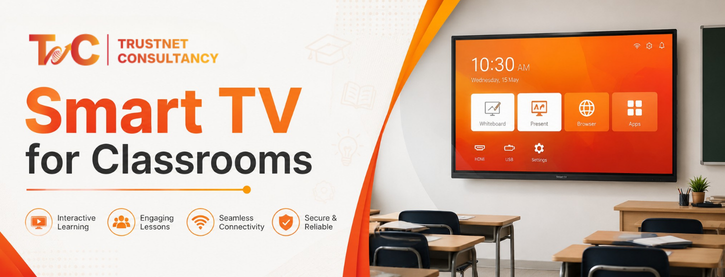
Smart TV: When Is It Not Enough
Certain limitations show up when lessons seek more than just viewing:
- Not a proper fit for collaboration and live annotation
- Limited native touch interaction
- Teachers don’t write directly on the screens
- May need extra devices to allow interaction
- Consumer-grade hardware isn’t always built for all-day classroom use
None of this makes a smart TV for the classroom a bad choice. It just means it’s built for a specific kind of teaching, not every kind.
A science teacher running video demonstrations will barely notice these gaps. A math teacher who wants students solving equations on-screen will notice them immediately.
Smart TV vs Interactive Display: Choose Based on the Teaching Experience
Instead of comparing specs line by line, it’s more useful to match the display to what actually happens during a lesson.
A smart TV for classrooms and an interactive display can look similar on a spec sheet, but they’re built around two very different teaching experiences.
Choose a Smart TV When Your Priority Is Content Delivery
Smart TV works well when classrooms are:
- Smaller, with most people close to the screens
- Running lessons mostly in video format
- Designed around presentations led by teachers
- Focused on basic digital learning, not interaction
- Upgrading from a projector without needing touch features
This is often the right call for institutions moving away from a conventional TV or projector setup. There’s no learning curve, no added hardware, and no risk of paying for touch features nobody uses.
Choose an Interactive Display When Students Need to Participate
An interactive display makes more sense when:
- Teachers need to annotate lessons as they go
- Students solve problems directly on the screen
- Most users want to interact with content at once
- Online or hybrid sessions are a daily need in modern classrooms
- Digital whiteboarding is a part of everyday teaching
- Most lessons rely on collaboration rather than only viewing
If any of these describe your typical school day, an interactive display usually earns back its higher cost through actual classroom engagement.
The Hidden Question: What Happens After Installation?
This is where most buying decisions go wrong. Schools focus on the screen and skip the practical part.
- Is training a part of it or added later?
- Can the teachers really use the features without any training?
- Does it fit the existing equipment in the classroom?
- What is the process in case of a hardware or connectivity problem?
- Can the setup scale across multiple classrooms without extra cost?
A classroom display for teaching is only as good as the support behind it. A powerful screen with no training often ends up used for little more than showing slides, which a basic smart TV could’ve handled anyway.
Ask any IT coordinator who has rolled out new displays across a school, and they’ll usually point to training and support as the bigger factor, not the screen itself.
How to Choose the Right Classroom Display Without Overspending
Purchasing the expensive, advanced screen is not enough — you need to buy the right one. A strong framework helps schools stop themselves from overspending on features they don’t use as often and underspending on the things they need every day.
7 Factors to Check Before You Purchase
Size of Classroom: The screen size should match the room layout and viewing distance so that students in the back can see everything clearly
Teaching Approach: See if the lessons are interactive or presentation-focused before comparing different models
Resolution: Focus on the diagrams, sharp text, and video quality over the generic marketing claims like 4K and smart.
Connectivity: Check for USB, HDMI, Wi-Fi compatibility, and wireless casting with devices employees currently use
Audio: Confirm the budget for external speakers and built-in sound fits the room needs.
Future expansion: Check compatibility with cameras, microphones, and other classroom tools you might add later.
Usage: Check if the screen runs for hours every day, as it may affect durability.
A Simple Decision Rule
It comes down to three paths:
- Smart TV: best when the goal is simply displaying digital content.
- Interactive Display: better when the room needs writing, annotation, and active participation.
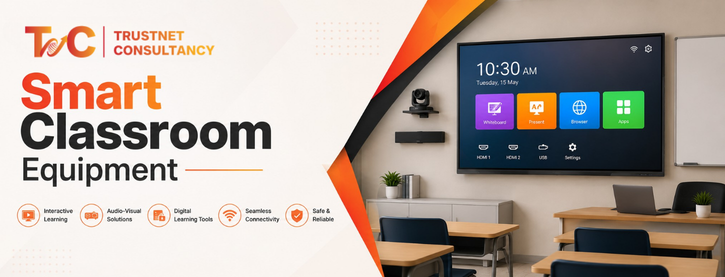
- Complete Smart Classroom Setup: right when the institution wants the display working alongside audio, video, and hybrid teaching tools as one connected system.
Most schools don’t fall neatly into one category. A common approach is starting with smart TVs in standard classrooms, then adding interactive displays in rooms where teaching genuinely calls for it, including labs, resource rooms, or grade levels doing more collaborative work.
Making the Right Call for Your Classroom
The most advanced display isn’t automatically the best one for your school. The right choice comes down to how your teachers actually teach, how your classrooms are used, and how much interaction each lesson calls for.
A smart TV for classrooms can be a genuinely practical, budget-friendly display, especially for presentation-heavy teaching.
But it shouldn’t be treated as a stand-in for an interactive teaching system once active student participation becomes central to the lesson. Match the tool to the teaching model first, room by room if needed.
Everything else, including budget, becomes easier to figure out from there.
Looking to design the right smart classroom setup for your institution? Explore smart classroom solutions from TrustNet Consultancy, including displays, connectivity, and classroom technology built around how your teachers actually teach, whether that means one upgraded room or a full-campus rollout.
FAQs
Is a smart TV enough for a modern classroom?
It depends on the teaching style. For video and presentation-based lessons, yes. For interactive, collaborative teaching, an interactive display usually fits better.
Can a smart TV be upgraded for interactivity later?
In some cases, yes, with added devices like a wireless pen tablet or a separate touch overlay. But it won’t match a purpose-built interactive display.
What size smart TV works best for classrooms?
It depends on room size and viewing distance. Larger rooms generally need bigger screens so students at the back can see clearly.
Do teachers need training to use classroom displays effectively?
Usually, yes. Without basic training, most classrooms end up using only a fraction of the display’s actual features.