
A school buys a ₹1.5 lakh panel and forgets the speakers. Smart classroom equipment works as a set, and one missing piece can stall the whole room.
With 949 million broadband subscriptions by late 2024, connectivity has made digital learning accessible.
Without the right equipment and budgeting, you may fall behind in the competition.
This guide lists what a classroom needs and what it costs in India.
It also shows what to buy first and how to budget for one room or a full school.
What Counts as Smart Classroom Equipment
A smart classroom needs five things: a display, a device to run lessons, audio, connectivity, and digital content.
Any digital machinery or gadget that adds to the learning is a smart class equipment.
The right mix depends on room size, teaching style, student strength, and budget.
Few schools need every item on the market.
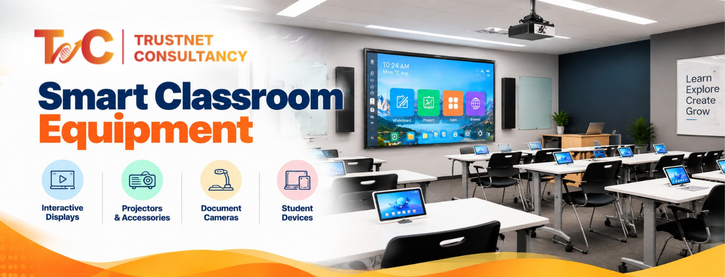
Core equipment for a functional smart classroom
- Display: interactive flat panel, smart TV, or projector
- Computing: built-in system, laptop, desktop, or a compatible OPS PC
- Audio: speakers, plus a teacher microphone where needed
- Connectivity: Wi-Fi, LAN, cables, and the right ports
- Content: digital textbooks, videos, presentations, and teaching software
Essential equipment vs optional upgrades
The essentials are a suitable display, a way to run lessons, reliable connectivity, and enough audio.
Without these, the room does not work.
Useful additions include a document camera, wireless screen sharing, a UPS, and external speakers.
Advanced options include PTZ cameras, lecture recording, student response systems, digital podiums, and student tablets.
Not every classroom needs everything.
Buy what supports teaching, not what pads the quote.
How to plan around classroom needs
- Primary classes: clear visuals, simple content access, and easy controls
- Secondary classes: annotation, diagrams, demonstrations, and subject content
- Large rooms: check viewing distance and sound coverage
- Hybrid classes: add cameras, microphones, and conferencing tools
Next, let’s look at each hardware category.
Hardware: Interactive Panel, Smart TV, Projector, Document Camera, Audio, Mics
The hardware segment is expected to add 41.5% to the smart classroom market. Opt for options that make digital learning more interactive.
Interactive flat panel
An interactive panel lets teachers write, annotate, and run digital whiteboard lessons. Several users can often touch the screen at once.
It costs more than other displays. It pays off when teachers write often or run group activities.
Compare screen size, resolution, touch response, glare handling, operating system, warranty, and service support.
Built-in software differs by model.
Smart TV
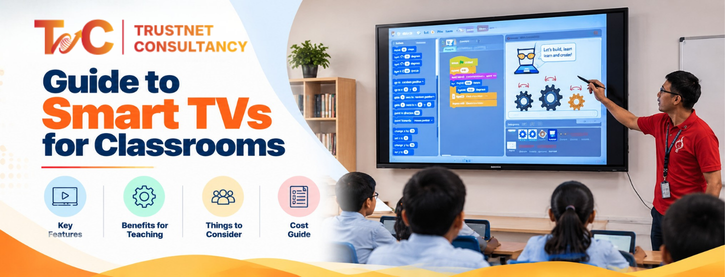
A smart TV shows videos, slides, and digital textbooks. Most models do not support touch or writing.
They suit presentation-led lessons and tight budgets.
Our guide to smart TVs for classrooms compares them with panels in detail.
Projector and screen
Projectors suit large rooms where a single panel would look small.
Check brightness, room lighting, screen quality, and mounting.
Factor in lamp replacement and servicing. Running costs add up over the years.
Document camera
A visualiser shows textbook pages, handwritten work, specimens, and experiments on the big screen.
Check image clarity, zoom, focus, and connection type.
It adds to a display. It does not replace one.
Audio and microphones
Built-in speakers often fall short in big or noisy rooms. Plan speakers, an amplifier if needed, and a wired or wireless teacher mic.
Test the sound from the last bench.
For hybrid lessons, also check how well remote students can hear the room.
Supporting equipment
- Computer or OPS module: runs software the display cannot. It works only with compatible displays.
- UPS: protects equipment during power cuts. Capacity and backup time vary.
- Mounting and cabling: brackets, safe cable routing, power points, HDMI, USB, and network access.
- Wireless presentation system: lets teachers and students share content from their own devices.
- Camera: optional, for hybrid lessons or recording.
Hardware buying checklist
- Can students in the back row read the screen?
- Can teachers connect their existing devices?
- Is the sound clear across the room?
- Do the mount, ports, and power supply match?
- What warranty, service, and spare parts come with it?
- Can the setup handle future upgrades?
Software and Content: LMS, Digital Content, Assessments
Hardware alone does not make a smart classroom. Teachers need lessons that run well on it.
Learning management systems
An LMS organises lesson material, assignments, announcements, and student progress. It is different from basic display software or a content library.
Check user access, device support, ease of use, data handling, and subscription fees.
Not every classroom needs a separate paid LMS.
Digital learning content
Look for digital textbooks, videos, animations, diagrams, and subject simulations.
Check curriculum fit, language options, age suitability, and offline access.
Confirm licensing before you share third-party material with students.
Assessment tools
Digital quizzes and polls give instant feedback. Teachers can see which topics need another explanation.
Ask whether the tool runs on the panel, a browser, student devices, or a separate subscription.
Free vs paid software
Free tools cover many basic needs. Paid platforms may add structured content, reports, support, and school-wide management.
Check user numbers, renewal fees, device limits, and content updates. Do not pay for features teachers will not use.
Check before you buy
- Compatibility with your display, computer, and operating system
- Internet needs and offline use
- Ease of use for teachers
- Student data privacy and account controls
- Yearly subscription and support costs
Indicative Price Bands in INR
Prices vary by brand, screen size, specifications, quantity, warranty, and installation needs.
The figures below are supplier-published estimates for planning.
They are not quotes. Use them as a starting point when you budget for smart classroom equipment.
| Equipment | Indicative price (INR) | What changes the price |
| Interactive flat panel | ₹75,000 to ₹1,80,000+ | Screen size, features, model |
| Smart TV | ₹12,000 to ₹2,00,000+ | Size and specification |
| Smart projector | ₹40,000 to ₹70,000 | Technology and brightness |
| OPS PC module | ₹28,000 to ₹40,000 | Compatibility and computer specs |
| Document camera | ₹8,000 to ₹60,000 | Image quality and features |
| Classroom audio system | ₹8,000 to ₹1,20,000 | Room size, mics, speakers, amplification |
| Teacher microphone | ₹3,500 to ₹30,000 | Type, wireless range, setup |
| UPS or power backup | ₹6,000 to ₹22,000 | Capacity and backup time |
| Installation, mounting, cabling | ₹4,000 to ₹28,000+ | Site conditions and complexity |
What pushes prices up or down
- Screen size, resolution, brightness, touch, and operating system
- Number and type of audio devices
- Whether a computer, camera, or visualiser is included
- Installation complexity and cable routing
- Warranty length, onsite service, and spare-part supply
- Order size, and whether you buy a complete package
How to read prices fairly
Sources use different setups, so their figures do not compare directly.
Ask whether GST, mounting, installation, and accessories are included.
Never compare a display-only price with a full classroom package. Ask for a dated, itemised quote.
Setup Cost for One Classroom vs a Whole School
What one classroom setup includes
A single room needs a display or projector, a computer or OPS module, audio, connectivity, and mounting.
Add installation, testing, and teacher orientation.
A visualiser, camera, or recording kit is optional.
Three levels of setup
- Basic digital classroom: a display or projector, a content source, essential connections, and audio where needed
- Interactive classroom: an interactive panel, suitable computing, audio, connectivity, and installation
- Hybrid classroom: an interactive display, camera, microphones, audio, conferencing or recording tools, and stronger network support
One provider estimates about ₹1.5 to ₹2 lakh for an essential interactive room.
It puts a hybrid-ready room at ₹2.5 to ₹4 lakh and an advanced setup at ₹5 lakh or more. These are one source’s package estimates.
They are not universal prices.
How to budget for a whole school
- Price one room in full, including installation and testing.
- Multiply by the number of rooms that need the same setup.
- Add shared costs, such as network upgrades and school-wide software.
- Check whether some rooms need different configurations.
- Add funds for training, warranty, maintenance, and replacement.
Costs schools often miss
- Extra power points and electrical work
- Network upgrades for weak Wi-Fi
- Adapters, cables, and mounts
- Software renewals and content licences
- Teacher training and technical support
- Repairs after the warranty ends
The lowest quote is not always the lowest total cost. Compare the full package.
What to Buy First on a Limited Budget
Start with the room’s main teaching need. Then add the rest in order.
Match the purchase to the need
- Video, slides, and digital textbooks: start with a display or projector and a reliable content source.
- Frequent writing and group problem-solving: consider an interactive panel.
- Students who struggle to hear: fix audio before adding display features.
- Lessons with books, diagrams, or experiments: add a document camera later.
Lock in the foundations
Assess the room first. Check student strength, lighting, and viewing distance.
Pick a display that matches how teachers teach. Confirm that they can run the content they need. Make sure audio reaches every bench.
Check power, mounting, and cabling. Set aside money for installation and training.
What can wait
Student tablets, PTZ cameras, lecture recording, digital podiums, and paid assessment platforms can wait.
Smart classroom equipment earns its cost only when it solves a specific teaching problem.
Add these pieces when a clear need shows up.
Buy for compatibility
Choose a display that connects to your existing computers and speakers.
Prefer standard ports. Ask about software updates, spare parts, and service.
Use the same equipment across rooms where you can. It simplifies training and repairs.
Sample limited-budget plan
A basic computer-and-monitor setup costs far less than an interactive panel. It also does far less.
Compare what each option really does before you decide.
When you draft a shopping list, mark the must-haves and the add-ons.
State whether the prices include installation, tax, and training.
Installation, Training and AMC
Site assessment before installation
Check room size, wall strength, screen position, seating, lighting, and glare.
Review power points, network access, and cable routes.
Confirm which devices teachers will connect. Flag any building work before you accept a quote.
Installation and system testing
Installers should mount the display, connect the computer, audio, and network, and route cables safely.
They should then test visibility, sound, inputs, and software.
Do not accept the room until everything works together.
Teacher training and handover
Teachers need hands-on training. Cover start-up, source switching, opening content, sharing screens, and adjusting audio.
Add basic troubleshooting and safe handling. Leave simple written steps and support contacts.
What is AMC?
AMC stands for Annual Maintenance Contract. Its scope depends on the agreement.
It may cover scheduled checks, servicing, troubleshooting, or technical support. Spare parts, accidental damage, consumables, and onsite visits may be treated differently.
Read the coverage, exclusions, response times, visit frequency, and renewal terms before you sign.
Questions to ask the supplier
- Is installation in the quote?
- Is training included, and how many sessions?
- What warranty covers each device?
- What does the AMC cover, and what costs extra?
- How do we report and resolve issues?
- Are spare parts and service available locally?
A display price tells you little. Compare the full setup, including installation, training, and support.
The best smart classroom equipment is the kit your teachers use every day.
Planning a smart classroom for your school? Contact Trustnet Consultancy to discuss your requirements, classroom infrastructure, and installation needs. Request a quote for your school.
FAQs
1. What equipment is needed for a smart classroom?
You need a display, a way to run lessons, audio, connectivity, and mounting. A document camera, UPS, microphone, and interactive accessories depend on the room. Start with the basics. Add extras that solve a real teaching need.
2. How much does a smart classroom cost in India?
Cost depends on the display, computing, audio, accessories, installation, and support. One provider estimates ₹1.5 to ₹2 lakh for an essential interactive room. Ask suppliers for dated, itemised quotes instead of relying on one nationwide price.
3. Can a smart classroom be set up under ₹1 lakh?
Sometimes. A basic, display-focused or PC-based setup may fit, depending on what the school already owns. A complete interactive-panel classroom often costs more. Always check what the budget includes, such as installation, audio, and training.
4. Smart board vs smart TV: which is better for schools?
A smart TV suits videos, slides, and digital content. An interactive panel suits on-screen writing, annotation, and group activities. Choose by teaching need, not by the label. Our smart TV guide covers the trade-offs.
5. Is a projector or an interactive panel better for a classroom?
It depends on the room. Projectors can cover large walls but need controlled light and upkeep. Panels stay bright and allow touch, but cost more upfront. Compare visibility, screen size, interaction, installation, and maintenance.
6. Does every smart classroom need an internet connection?
No. Online content, cloud software, and some screen-sharing tools need internet or a local network. Presentations and locally stored resources can work offline, depending on your devices and software.
7. Is teacher training included with the equipment?
It varies by supplier and package. Confirm the number of sessions, the scope, and the follow-up support in writing before you order.
8. What is included in an AMC for a smart classroom?
Coverage depends on the contract. Verify preventive maintenance, troubleshooting, onsite visits, replacement parts, exclusions, and response times before you sign.