
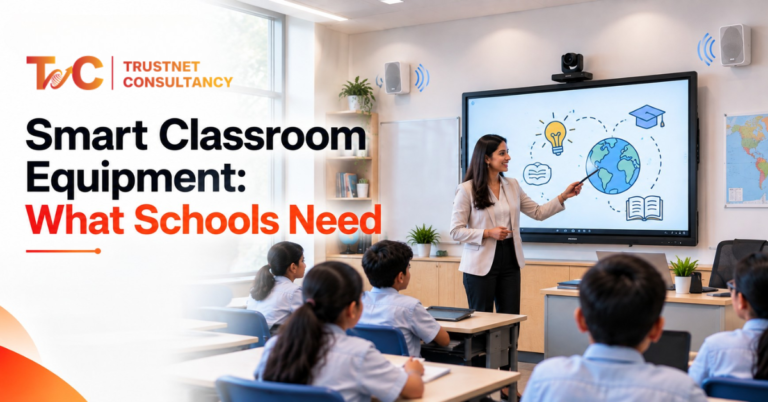
Chalk and dusters are fading quickly. When you walk into a modern classroom, you’ll see screens have replaced the blackboard—smart classroom equipment is transforming the space and evolving teachers’ approach and how students learn.
Colleges and schools aren’t questioning if they need technology. They are now asking which tools work for their classrooms, their teaching approach, and the overall budget.
This guide explores the essential components, how to choose the right ones, and why making them work at once is more important than buying them separately.
Essential Smart Classroom Equipment for Schools and Colleges
Every classroom looks a little different. But most functional setups rely on a similar core of equipment. Here’s what actually makes up a working smart classroom.
Interactive Smart Boards and Interactive Displays
These introduce the real transformation. Interactive boards help teachers draw, write, share videos, and bring live content to the forefront.
Students stay more engaged when lessons aren’t just a lecture.
There’s an important difference between a smart board and an interactive flat panel.
Flat panels use LED technology, respond faster to touch, and need far less maintenance than older projector-based smart boards.
Schools need to consider the following before buying anything:
- Accuracy of touch screens and multi-touch support
- Size of screens against the room dimensions
- $K standard resolution for larger spaces
- HDMI, wireless casting, and USB-C connectivity options
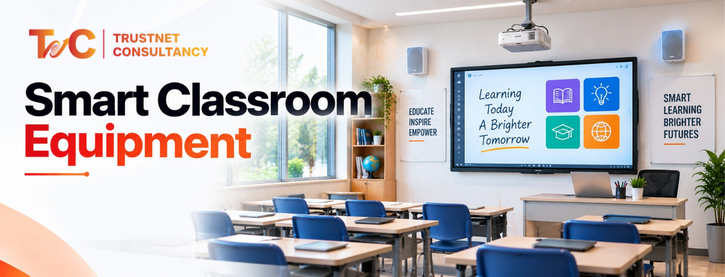
Digital Displays and Smart TVs
Smart TVs work best in smaller classrooms as they don’t demand complete interactivity. They are convenient to install, cost less, and support screen mirroring and app-based content.
They’re also useful outside lessons, for digital signage, timetable updates, and campus-wide announcements.
For classroom use, screen size should scale with the number of students and how far the back row sits from the display.
Projectors and Projection Systems
Projectors have not been erased. They still exist and work well for larger halls, auditoriums, and budget rooms where large displays are essential without the high cost.
Short-throw projectors work best in smaller rooms since they reduce shadows and glare.
Standard projectors suit bigger spaces with more distance between the device and the screen. Brightness (measured in lumens) and resolution both matter more in rooms with natural light.
Audio Systems for Classrooms
Poor quality audio disrupts quality teaching. Microphones, speakers, and amplifiers ensure that every student hears the lessons clearly instead of just the ones in the first row.
Larger classrooms need this the most. Sound usually drops faster across distance, and just the teacher’s voice cannot reach the end rows.
But what offers more coverage in larger rooms are ceiling-mounted speakers. On the other hand, wall-mounted speakers are less expensive but may create uneven sound zones.
The right choice depends on room shape and size.
Cameras and Video Conferencing Equipment
Hybrid learning isn’t going away, and cameras have become a standard part of classroom AV setups for schools running remote or blended sessions.
The right camera setup allows remote students to see the boards, follow the activities in classrooms, and truly take part rather than being a spectator.
Combine this with video conferencing tools which are directly integrated with the display and audio system. This ensures that teachers don’t have to juggle three different devices in the middle of the lesson.
Computers and Teacher Control Systems
Every smart classroom needs a central device running the show, usually a teacher PC or laptop connected to the display and other equipment.
Centralised control panels take this further.
They allow teachers to switch between devices, dim the lights, adjust sound, or begin a video call. All of this can be done from a single interface rather than separate remotes and switches.
Internet and Networking Infrastructure
None of the equipment will work without stable and strong network support. Faster Wi-Fi supports cloud tools. Streaming and a number of connected devices at once.
Wired connections matter, particularly for devices that require consistent uptime, such as a main teaching computer.
Switches, routers, and access points need to be sized for the building, particularly when various classrooms use smart equipment at the same time.
Digital Learning and Content-Sharing Tools
Hardware is only half the picture. Teachers also need software that makes lessons easier to plan and share.
- Screen sharing tools so that students can present from their individual devices
- Cloud storage for better accessibility of lesson content
- Assignments and tracking with learning management systems
- Group work and real-time feedback with collaboration tools
Smart Classroom Accessories and Equipment
Smaller products are often ignored, but they help run it all.
- UPS or power backup for short outrage protection and no disruption to lessons
- USB and HDMI cables with added adapters are for different device options
- Mounting systems for displays and speakers
- Equipment racks and cable management to keep installations tidy and safe
How to Choose the Right Equipment for Your Classroom
Picking classroom technology isn’t about buying the most advanced gear available. It’s about matching tools to the room and the people using them.
This is where most decisions about smart classroom equipment fail. Schools buy tools for the demo and not for the daily routine,
Keep in mind the following factors before you buy:
- Budget versus long-term value: cheaper equipment can cost more in repairs later
- Teaching style and subject: different rooms have different needs. A science lab and lecture don’t need the same tools
- Current infrastructure: consider current wiring systems, network capacity, and power points
- Size and capacity of classroom: larger rooms require larger displays and stronger coverage of audio
- Ease of use: teachers must not need a manual to run lessons
- Compatibility: new equipment and tools should integrate with already installed systems
- Installation and maintenance: consider the setup time and ongoing support
- Scalability: equipment needs to work in different rooms
Getting this right upfront saves schools from replacing the whole setup within a couple of years because it didn’t fit the actual teaching environment.
Why Integrated Smart Classroom Solutions Matter
Here’s where most schools run into trouble. They buy a smart board from one vendor, speakers from another, and a camera system separately.
Each piece works fine on its own, but they don’t talk to each other.
That creates real problems: mismatched controls, connectivity issues, and teachers wasting lesson time troubleshooting instead of teaching.
An integrated system solves this. When displays, audio, cameras, and control panels are set up as one connected system, teachers manage everything from a single point.
Lessons run seamlessly, and IT teams have to spend less time fixing issues that can be avoided.
Professional installation makes all the difference. This isn’t just about putting up the screen — it’s about wiring, network configuration, and testing each device together before the class uses it.
Ongoing technical support matters just as much, since smart classroom equipment needs updates, repairs, and occasional troubleshooting long after installation day.
This is exactly the gap smart classroom solutions fills for schools and colleges. Instead of sourcing equipment piece by piece, institutions can get a complete, customised setup built for how their classrooms actually function.
This includes:
- Reliable networking built for multiple connected classrooms
- Full system integration so every device works as one unit
- Installation and ongoing support, so problems get fixed fast
- AV solutions aligned with room size and usage
- Interactive displays and boards best-suited to the particular teaching style
- Setups for video conferencing for remote and hybrid learning
- Classroom audio systems with right coverage
For schools and colleges planning an upgrade, working with one team across design, installation, and support usually costs less in the long run than juggling multiple vendors.
Ready to upgrade your classrooms the right way? Get a customized smart classroom solution from TrustNet Consultancy.
FAQs
1. How often should smart classroom equipment be upgraded?
There is no fixed upgrade cycle. Schools should review equipment when performance declines, software becomes unsupported, compatibility issues appear, or teaching requirements change. Regular maintenance can also extend the useful life of classroom technology.
2. Can smart classroom equipment be used with existing teaching systems?
Yes, provided the new equipment supports the school’s existing software, operating systems, connectivity standards, and learning platforms. Checking compatibility before installation helps avoid unnecessary replacements or additional infrastructure costs.
3. What cybersecurity measures are needed for smart classrooms?
Connected classroom devices should use secure networks, strong access controls, updated firmware and software, and appropriate user permissions. Separating classroom devices from sensitive administrative systems can also reduce security risks.
4. How can schools make smart classrooms accessible to students with different learning needs?
Schools can consider features such as adjustable display settings, captions, assistive technology compatibility, clear audio coverage, and content that can be accessed through different formats. Accessibility should be considered during system design rather than added later.