
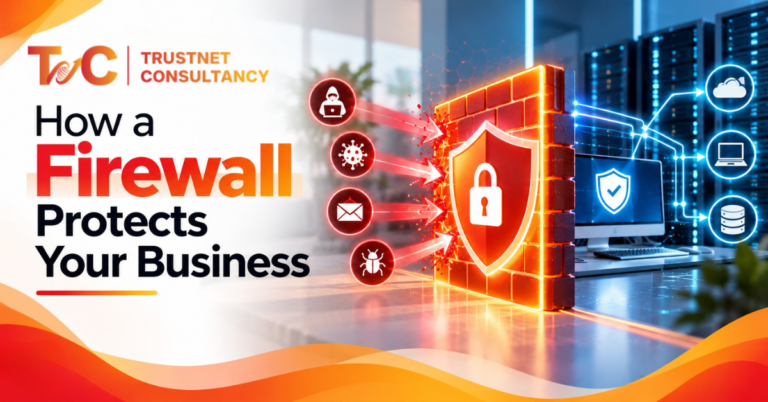
Your network does not have just one main door. Firewall security services supervise all of them — starting from cloud apps and VPN tunnels to connected devices and remote laptops.
Basic port filtering is no longer enough. Modern firewalls inspect applications, block intrusions, and separate sensitive systems.
51% of India businesses consider a cybersecurity breach the biggest risk for business performance. Digital advancements have made protecting business information much harder.
But advanced problems need advanced solutions!
This guide explains what a firewall protects, which type suits which setup, and what to check before you invest.
What Do Firewall Security Services Include?
A firewall monitors and controls network traffic using rules.
It can be hardware, software, or cloud-based.
The service is the work around it: setup, policy design, rule management, monitoring, updates, log analysis, and incident response.
The next-gen firewall market in India is expected to grow to USD 433.7 million by 2038. The advanced features make the services more efficient.
That ongoing work matters. A firewall can be installed and still leave gaps if nobody reviews its rules, firmware, and configuration.
How does a firewall protect a business network?
- Block unauthorised access. Rules based on ports, IP addresses, and protocols keep outsiders separate from internal servers. All unwanted open ports increase the attack surface.
- Filters malicious traffic. With IDS/IPS built in, a firewall can catch malware, ransomware-related traffic, brute-force attempts, and some DDoS traffic.
- Controls applications and web use. Port filtering cannot tell which application is using a connection. Application control, URL filtering, and DNS filtering can.
- Watches outbound traffic. Outbound rules help spot suspicious connections and stop unauthorised data transfers.
- Segments the network. On a flat network, one infected laptop can reach everything. Separate finance systems, servers, employee devices, and guest Wi-Fi. If ransomware hits a front-desk PC, it stays away from the finance server.
Which Firewall Type Fits Your Business?
| Type | What it does | Best for |
| Packet-filtering | Filters by network information | Basic filtering |
| Stateful | Tracks active connections | Standard business networks |
| Proxy/application | Inspects traffic at the application layer | Application-level control |
| Host-based | Protects a single endpoint | Servers and workstations |
| Next-generation (NGFW) | Adds advanced controls to filtering | Modern enterprise networks |
| Cloud firewall | Protects cloud workloads | Cloud and hybrid setups |
| Web application firewall (WAF) | Blocks application-layer attacks | Public-facing web apps |
Table: Firewall type for you company
Choose based on your network design, traffic volume, applications, data sensitivity, and cloud use. The most advanced option is not always the right one.
A single-site office may need far less than a company running hybrid infrastructure.
Why are businesses moving beyond traditional firewalls?
Traditional firewalls rely on IP addresses, ports, and protocols. That worked when applications stayed on-premises.
Today, traffic is often encrypted, and apps run across cloud platforms, SaaS tools, and remote devices.
Next-generation firewalls close that gap. They add:
- Deep packet inspection
- Application awareness
- Intrusion prevention
- URL filtering and malware prevention
- Threat intelligence
- VPN support and centralised management
What changes with cloud and remote work?
Your perimeter is no longer one office. Employees connect from home, workloads sit in the cloud, and branches add more access points.
Solid firewall security services cover cloud firewalls, secure VPN connections and segmentation across all of these.
Pair them with identity controls.
A firewall protects network traffic. Multi-factor authentication and Zero Trust Network Access (ZTNA) decide who gets in at all.
Which Threats Do Firewalls Help Stop?
| Threat | Firewall control |
| Unauthorised access | Access rules, IP filtering, segmentation |
| Malware and ransomware | Traffic inspection, threat prevention |
| Brute-force attacks | Connection monitoring, intrusion prevention |
| Phishing-related web threats | URL and DNS filtering |
| Lateral movement | Internal and micro-segmentation |
| Unauthorised applications | Application control |
Table: Threats and firewall solutions
A firewall reduces these risks. It does not eliminate them. It is one layer in a wider defence.
Why Do Configuration and Monitoring Matter So Much?
Most firewalls fail because of poor management, not weak hardware. Look for:
- Misconfigured VPN or access policies
- Unwanted open ports
- Outdated firmware
- Unused rules and leniency in rules
- Logs nobody reads
- Threat signatures that are out of date
Here is a common case. A team opens a remote desktop port for a vendor just for a week.
Nobody closes it.
This is the entry point for the brute-force attack months later. A scheduled review of rules may catch this.
The management can fix it:
- Review the rules regularly
- Apply security and firmware updates
- Analyse logs and monitor threats.
- Audit configurations.
- Investigate incidents and tune policies.
Treat firewall protection as a process, not a one-time installation.
How does a firewall compare with other security controls?
- IDS/IPS: IDS can identify suspicious activity. IPS will block it, and a firewall filters out connections
- Endpoint security can protect individual devices. A firewall controls the traffic between them.
- WAF covers HTTP/HTTPS traffic to web applications. A network firewall protects the wider network.
- MFA verifies identity. A firewall does not.
Layer them together with segmentation, monitoring, vulnerability assessments, and employee awareness.
That is defence in depth.
How to Choose the Right Firewall Protection
- Assess your environment. Count users, sites, remote staff, and cloud workloads.
- Check performance. Consider traffic volume, bandwidth, concurrent connections, and latency. Deep inspection should not become a bottleneck.
- List required features. Application control, IPS, URL filtering, VPN, malware prevention, logging, and reporting.
- Plan for growth. More users, new locations, cloud migration.
- Evaluate management and support. Look for central management, monitoring, and updates. Ask how quickly the provider responds to alerts.
- Confirm integration. The firewall should work with your wider security tools.
When should you review your firewall?
Review it when:
- You move to the cloud or add branches
- Remote work grows
- Business applications change
- A security incident occurs
- Hardware nears end of support
- Rules have not been audited recently
- You see repeated suspicious access attempts
What should a managed firewall service include?
Look for
- Deployment and configuration
- Next-generation firewall setup
- Rule management
- Threat detection
- Continuous monitoring
- Firmware update
- Segmentation
- VPN security
- Incident response support
- Reporting
- Periodic reviews
The managed assistance eases the load on internal IT teams. IT also speeds up the response to suspicious activities.
It is not essential for everyone. A small team with strong in-house network security may manage well alone.

Why isn’t a firewall enough on its own?
A firewall cannot fix weak passwords, stolen credentials, unpatched endpoints, social engineering, insecure applications, or misconfigured cloud resources.
Those need their own controls.
Build Your Strategy Around the Firewall
Firewalls control and inspect the traffic. Next-generation platforms add application awareness and intrusion prevention.
Segmentation limits lateral movement. Remote and cloud work call for wider controls – none of these work without consistent rule updates and reviews.
Your firewall works best as one layer in a larger plan. If you’d rather not run that alone, professional support helps.
Ready to tighten your network protection? Explore firewall security services from Trustnet Consultancy, including next-generation firewall rule updates, monitoring and threat-response support.
You can also read about our broader Cyber Security Services and Network Security.
FAQs
1. What is the main job of a firewall in a business network?
A firewall controls which traffic can enter and leave your network. It applies rules based on IP addresses, ports, protocols and applications. This blocks unauthorised access and suspicious connections.
2. What is the difference between a traditional firewall and a next-generation firewall?
A traditional firewall filters traffic by IP, port and protocol. A next-generation firewall adds application awareness, intrusion prevention, deep packet inspection and URL filtering. This gives it finer control over what is actually happening on the network.
3. Can a firewall stop ransomware?
It can help. A firewall can block malicious traffic, restrict risky applications and limit spread through segmentation. It cannot stop ransomware alone. You also need endpoint protection, patching, backups and employee awareness.
4. How often should firewall rules be reviewed?
There is no single schedule. Many teams review rules at regular intervals, and again after major changes such as cloud migration, new branches or a security incident. Remove unused rules each time.