
Conference Room AV Solutions: A Practical Guide to Designing a Smarter Meeting Room
Most meeting rooms don’t fail because the technology is bad. They fail because nobody planned how the pieces should work together. Conference room AV solutions exist to solve exactly that problem, yet plenty of offices still put a screen, a webcam, and a cheap speaker together and call it a system.
Then someone joins a call, can’t be heard clearly, and the room gets blamed for what was really a planning gap.
With the smart office market size valued at $2 billion in 2025, the quality meeting room AV solutions are no longer a trend – but a necessity.
In this blog, you will get to learn what a properly designed setup includes. This could be rom size shaping your choices, steps to ensure installation holds up — without making every meeting a tech-support session.
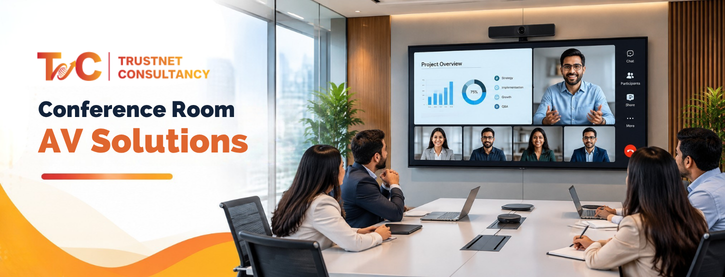
What Do Conference Room AV Solutions Actually Include?
These solutions are integrated audio, video, presentation, and conferencing technologies designed to make meetings, presentations, and hybrid collaboration easier and more reliable.
The meaning of integration is what matters. A great camera paired with a weak microphone still produces a bad meeting experience for remote participants. The integrated audio video solution is the best way to ensure i=uninterrupted meetings.
A functional setup generally includes:
- Display screens or projectors for content and video
- Microphones designed for the room and not just the table
- Cameras made for video conferencing rather than consumer webcams
- Wireless presentation systems so people stop looking for cables
- Speakers placed for proper coverage instead of just volume
- Control system that helps people start meetings without manual setup
- Conferencing platforms like Zoom and Microsoft Teams
Audio quality mainly decides how the meeting is perceived, more than the video quality does. If remote participants constantly keep asking to repeat, a display upgrade won’t solve the problem.
Speaker and microphone placement is the key to this. Ceiling mics are well-suited for open rooms while table mics work well when furniture blocks the path.
Wired connections have a stability that wireless systems can’t offer, especially in high-use rooms. But wireless presentation has become a new standard for quick handoffs and guest laptops.
Both can co-exist, and the right combination depends on how the room is used every day.
Professional testing and configuration are more important than it seems. Two identical tool lists can deliver differently based on the tuning of the audio processing and platform integration verification before going live.
A common mistake is purchasing components based on spec sheets and skipping an actual test call before the room is live.
A camera may seem great in a showroom and take bad frames once the table and lighting are set up.
Providers usually build their offering with this core idea — combining displays, microphones, wireless presentation, speakers, and control systems as one single package instead of individual purchases.
How to Design AV Setups for Different Room Types
Room size and meeting behaviour should drive the design, not the other way around. A setup that works in a huddle room will underperform badly in a 20-seat boardroom, and overbuilding a small room wastes the budget without improving the experience.
There’s no single configuration of conference room AV solutions that fits every space, which is why matching design to actual use, rather than copying the same package across every room, is worth the extra planning time.
Small meeting rooms:
- Simplicity over features
- For 2 to 6 people
- All-in-one video setup with camera, mic, and speakers
- One-touch meeting controls
- Standard wireless presentation
Medium conference rooms:
- Wider coverage needed
- For 6 to 12 people
- Bigger display or dual displays for both video and content feeds
- Several microphones for even pickup across the table
- Dedicated camera with pan-tilt-zoom feature
- Content-sharing system supporting different input sources
- Integrated controls connecting everything to one interface
Large boardrooms:
- Distributed and coordinated systems required
- Camera positioning framing each seat rather than just the head of the table
- Several displays for participant and presentation view
- Support for different content sources working at the same time
- Distributed microphones with quality audio processing to manage echoes and noise
- Centralised control for remote and hybrid meetings
Training rooms with flexible areas:
- Adaptability is a must
- Wireless presentation for a number of partners
- Interactive displays for hands-on sessions
- Streaming or recording support for sessions people cannot attend live
| Room Need | AV Priority |
| Small team meetings | Simplicity and clear audio |
| Hybrid meetings | Camera and microphone coverage |
| Executive boardroom | Premium presentation and integrated control |
| Large conference room | Audio coverage and multiple displays |
| Training room | Interaction and flexible content sharing |
Table: AV priority matched with the room
Matching the setup to actual room use, rather than buying the same package for every space, is where most budgets get wasted or saved.
A common mistake is over-speccing a small huddle room with boardroom-grade audio processing it will never need, while under-speccing a large room’s microphone coverage because the budget went toward a bigger screen instead.
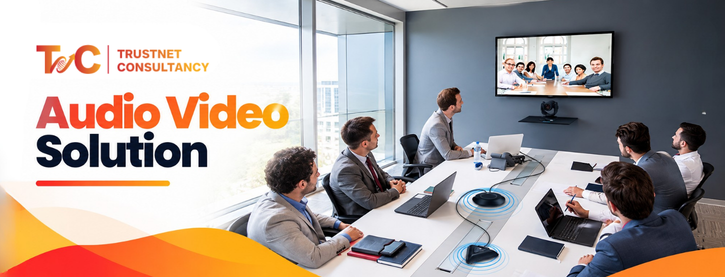
Conference Room AV Setup Checklist: From Planning to Long-Term Support
Around 72% of Indian digital transformation programmes fail to deliver. The investment is there, the equipment is there,
Planning conference room AV solutions in the right order prevents rework later. Skipping straight to equipment shopping is the most common mistake.
- Room evaluation: Right from seating capacity, table arrangements, dimensions, acoustics, lighting, and current cabling system. A room with strong walls and no tiles on the ceiling needs different treatment than a furnished room.
- Understand meeting needs: Check if the room is usually used for in-person meetings, training sessions, hybrid calls, or multi-location collaboration. Every use case changes priorities toward different tools.
- Choose and integrate equipment: Purchasing cameras, displays, and audio gear from multiple vendors independently can create compatibility issues — from control system problems to platform certification gaps. For instance, equipment that is not meant for Zoom or Microsoft Teams can work technically while creating unwanted glitches during important calls.
- Connectivity and control planning: Plan the cable runs, USB and HDMI routing, wireless presentation requirements, bandwidth of network and simple control interface for the non-technical employees. If new employees cannot begin without help, the control design needs to be checked properly.
- Configure and test: Check the framing of the camera, microphone pickup access in each sear, speaker coverage, clarity of display and noise and echo management, Run real test calls on your team’s preferred platform before giving up. Testing in an empty room would not be of much use. It’s better to test it in full rooms, as furniture and people’s presence changes the sound behavior.
- Scalability planning: Check if you will add more rooms, change conferencing platforms, or need multi-location standardisation. Developing with that in mind avoids replacement in a short time. It is also important to budget for reviews at regular intervals instead of assuming that the system will perform the same way years later.
Consistent maintenance and support are more important than the initial installation.
Updates of firmware, platform changes, and hardware wear all impact the performance over the years. The rooms that are checked regularly have fewer last-minute meeting failures.
Getting the pattern right is the difference between a room working reliably for years and one that needs troubleshooting quite often.
Conference room AV solutions built on proper planning, matching the room and its use, tend to outperform setups assembled piece by piece.
Whether you’re outfitting one meeting room or standardizing several offices, treating AV as one connected system pays off in fewer support calls and better meetings.
Planning a conference room AV setup? Instead of selecting equipment individually, get the room assessed as a complete system, from displays and conferencing to audio, connectivity, installation, and ongoing support. TrustNet Consultancy provides design, installation, and support for conference rooms and other professional AV environments.
FAQs
What are conference room AV solutions?
They’re integrated audio, video, presentation, and conferencing technologies that make meetings, presentations, and hybrid collaboration work reliably. Instead of separate gadgets, everything is chosen and configured to function as one system.
What equipment is needed for a conference room AV setup?
At minimum, you need a display, a conferencing camera, microphones sized to the room, speakers, and a way to share content wirelessly. Most rooms also need a control system and a conferencing platform like Teams or Zoom.
How do I choose AV equipment based on conference room size?
Small rooms do well with an all-in-one video bar and basic controls. Medium and large rooms need dedicated cameras, multiple microphones, better speaker coverage, and centralized control to manage more complexity.
What is the difference between a conference room and boardroom AV setup?
Boardrooms usually need multiple displays, distributed microphones, professional audio processing, and camera positioning that frames every seat. Standard conference rooms can often run on simpler, single-display configurations.