
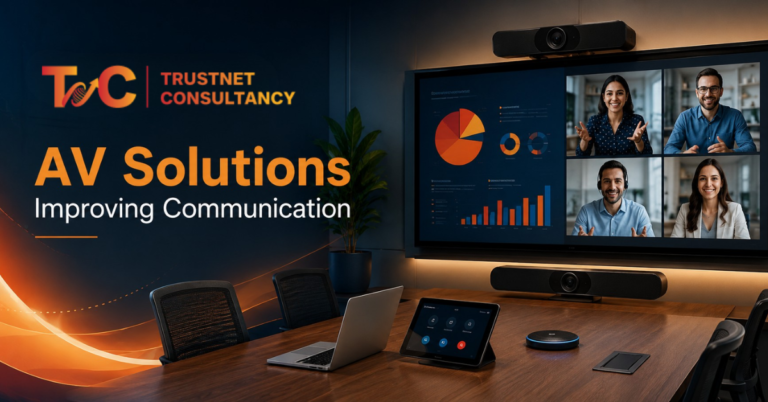
Did you ever sit through a meeting and miss out on the actual point because someone’s mic kept cutting out? This is less of a people problem and more of an audio-visual solutions problem.
With the right setup in the right place, you can avoid these situations.
Offices mostly operate on communication. This is not just about talking but being audible, reading information clearly, and sharing it without hassle.
When any part of that chain breaks, decisions slow down, and teams lose trust in their meetings altogether.
Most offices don’t realise how much time gets wasted on repeated explanations, frozen calls, or slides nobody at the back can actually read. A single unclear meeting costs minutes. A pattern of them costs momentum.
Why Workplace Communication Breaks Down Without the Right AV Setup
Most communication failures in offices aren’t about what people say. They’re about what gets lost between the speaker and the listener.
Miscommunication with Poor Audio
The noise in the background can hamper communication even before they start. A noisy AC unit or an echo-heavy room — they force people to repeat their sentences.
Professional microphones and speakers fix this at the source. They pick up voices evenly across a room instead of favouring whoever sits nearest the table.
Coupled with rich audio distribution, all hear the same thing, at the right volume and without any straining.
The room acoustics are important. Bare ceilings and hard walls can bounce sound. This makes even a good microphone sound muddy. A properly planned AV setup is essential before any of the devices are installed.
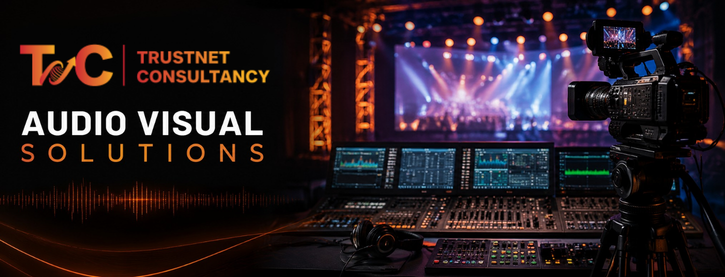
Visual Information Is Harder to Process When Everyone Cannot See It Clearly
A spreadsheet on a 24-inch screen looks fine to the presenter. To someone sitting at the back of the room, it’s a blur.
Large-format displays, projectors, and interactive screens solve this by scaling content to the room, not the other way around.
Diagrams are understandable.
Charts are readable.
And people start engaging with what’s on screen instead of squinting.
This is not about flashy technologies. The goal is to ensure that data, deck, or demo actually lands with the right target audience.
Hybrid Teams: More Than Just a Video Call
The problems of remote workers are different from those of in-office workers. They don’t get to read body language, miss out on side conversations, and often are unable to hear in-room speakers when they move away from the mic.
A basic laptop camera and built-in speaker won’t cut it for serious hybrid work.
Proper video conferencing systems, paired with room cameras and directional audio, give remote employees the same seat at the table as everyone physically present.
Audio Visual Solutions: How They Improve Communication Cycle
Right communication follows a clear path. Hearing, seeing, sharing, collaborating, and acting.
With the right setup, you can support every stage of the cycle rather than just a single room feature.
Hear: Clear Conversation
All of it starts with a sound. The professional microphones, ceiling or wall-mounted speakers, and audio distribution systems ensure no communication gets lost in the room.
The repetition is easily cut down with this. People don’t ask you to repeat and start actively listening.
A very few missed details mean fewer follow-up emails to clarify what has been discussed already.
See: Turn Information Into Something People Can Understand
Once people can hear clearly, they need to see clearly too. Large displays, projectors and interactive screens turn raw data into something a full room can actually process.
Digital signage adds another layer here — sharing workplace announcements, schedules or updates without anyone needing to send a mass email that gets ignored.
Share: Remove Friction From Presentations and Collaboration
What’s inconvenient is digging through a bag to find the right HDMI cable for a client pitch. With wireless presentation systems and screen-sharing tools, you can remove the friction completely.
What it fixes:
- Instantly connected devices in rooms
- Easily available cables
- Content sharing between multiple people without changing positions
The content-sharing tools make us less dependent on one device. This keeps meetings going rather than stalling on tech setup.
Collaborate: Remote and In Room Teams
What matters the most? Unified communication and video conferencing. Cameras, microphones, and displays — when they work together as one, hybrid meetings dont feel like two separate conversations happening all at once.
Training sessions run smoother too. Remote employees can ask questions in real time instead of typing into a chat box that nobody checks until the session ends.
Trainers can also gauge reactions from the room and the screen at once, instead of guessing whether remote attendees are still following along.
Unified setups cut down on the awkward handoffs that plague most hybrid meetings, someone fumbling to unmute, or a screen share that only half the room can see.
Act: Turn Clear Communication Into Faster Decisions
This is the actual payoff. Fewer misunderstandings mean faster access to the right information.
Meetings become shorter and more productive because people spend less time re-explaining things.
Teams that communicate clearly make decisions faster and follow through on them, because everyone actually understood the plan the first time.
The right audio visual solutions can make these smoother.
How to Build an AV Setup Around Your Workplace, Not Just Your Equipment
Buying expensive screens and microphones won’t fix communication problems on its own. The setup has to match how your workplace actually functions.
Start With the Purpose of Each Space
A boardroom, a training room, and an open collaborative space all need different things.
Conference halls need reach and coverage. Small meeting rooms need clarity at close range. Define the purpose first, then choose equipment.
Match Technology with Usage and Room Size
Screen size needs to match the viewing distance. Speaker and microphone needs can change based on how many people use the space.
Acoustic treatment matters more in larger rooms than smaller ones.
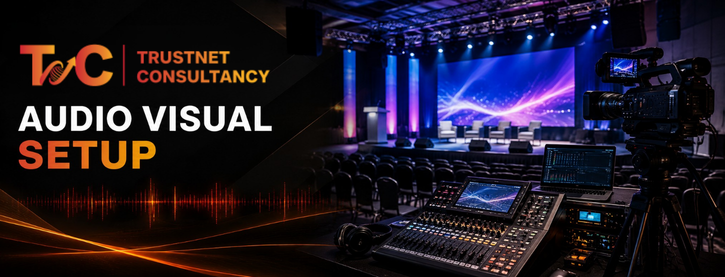
Prioritise Integration Over Individual Devices
A room full of great individual devices that don’t talk to each other creates more problems than it solves.
Connecting displays, audio and cameras through centralised control simplifies the experience for whoever’s running the meeting.
Think about how many meetings start late because someone can’t figure out which remote is for the screen and which one is for the sound system.
Centralised control removes that guesswork. One interface, one login, one point of contact if something goes wrong.
Disconnected equipment often means more troubleshooting, more IT tickets, and more wasted meeting time.
Integration is what actually makes audio visual solutions feel effortless to use day to day.
Plan for Scalability, Support and Maintenance
Workplaces keep growing. Teams may change their room usage.
A setup working today can be expanded without a complete rebuild, through upgrades, the right installation procedures, and technical support.
AV Setup Selection Checklist
Before choosing any setup, ask:
- What existing infrastructure needs to integrate with it?
- How many people are going to use it?
- Which communication is common in this space?
- Will this system still make sense as the organisation grows?
- Does the workplace need to support hybrid meetings?
Answering these first saves time, budget, and a lot of frustration later.
Clear communication isn’t a nice-to-have anymore; it’s what keeps decisions moving and teams aligned, whether they’re in the room or dialling in from somewhere else.
Ready to Fix How Your Workplace Communicates? Upgrade your workplace communication with professionally designed audio-visual solutions from TrustNet Consultancy.
Our team assesses your spaces, matches technology to how your teams actually work, and handles installation, integration and ongoing support, so your meetings run on clarity, not workarounds.
FAQs
1. What are audio visual solutions in a workplace context?
They’re the combined systems — microphones, speakers, displays, cameras and conferencing tools — that help teams communicate clearly in meetings, training sessions and collaborative spaces.
2. Do small offices need AV setups too?
Yes. Even a single meeting room benefits from proper audio and display equipment, especially if it hosts client calls or hybrid meetings.
3. How do AV solutions help hybrid teams specifically?
They balance participation by giving remote employees clear audio, visible body language cues, and equal access to shared content — closing the gap between in-room and remote attendees.
4. What’s the biggest mistake companies make when setting up AV systems?
Buying equipment before defining how each space will actually be used. This leads to mismatched technology and rooms that don’t serve their purpose well.