
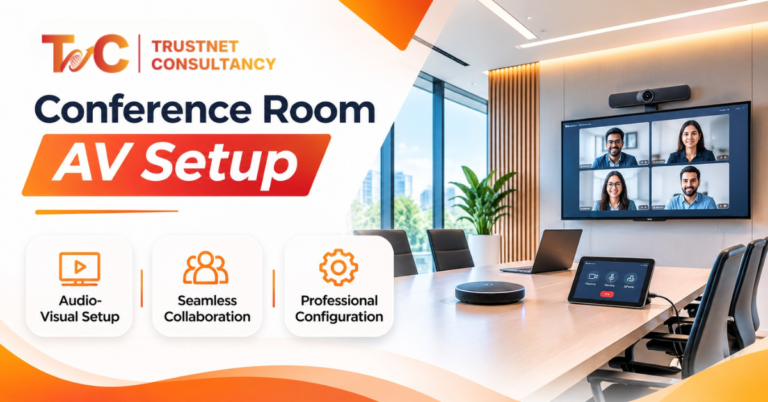
Most meetings fail on sound, not on screens. Smart conference room AV solutions start with the room, the platform, and the people who use it.
A boardroom in Salt Lake can have a 75-inch display and a premium camera, and the call still falls apart.
The remote team cannot hear the person at the far end of the table.
With the AV solutions market expected to grow at a 25.0% CAGR by 2025, it’s important to know which solutions work best for which rooms.
This guide shows what AV includes, what each room size needs, and how to pick a platform.
It also covers placement, controls, costs in India, and the mistakes that waste budgets.
What Conference Room AV Includes
Think of AV as seven parts that must work together.
- Displays and screens. Commercial displays, interactive panels, and projectors show slides, spreadsheets, and dashboards. Choose size by viewing distance, not by price.
- Cameras. Webcams suit small rooms. Wide-angle cameras cover medium rooms. PTZ (pan-tilt-zoom) cameras follow the speaker in large rooms.
- Microphones and speakers. Tabletop mics, ceiling mics, speakerphones, and room speakers carry the conversation. Remote attendees forgive a soft picture faster than bad audio.
- Wireless presentation. Employees share a laptop screen without looking for cables.
- Room control. A touch panel switches inputs, starts meetings and adjusts volume.
- Conferencing system. A room PC or appliance connects the mics, camera, display and meeting apps.
- Cabling and connectivity. HDMI, USB, network, and power connections decide whether the setup stays reliable.
Buy these as one integrated system.
A collection of unrelated devices causes many of the problems people blame on the technology.
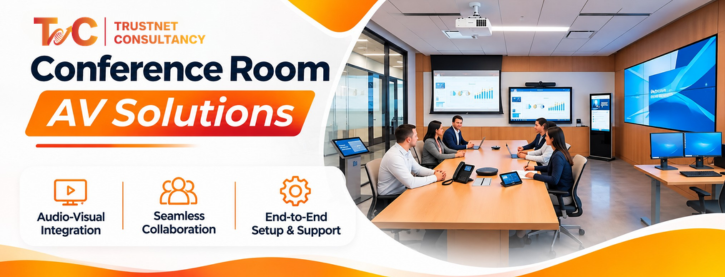
Conference Room AV Solutions by Room Size: Huddle to Boardroom
Room size usually influences the choice of equipment; furniture layout, room capacity, and meeting type decide what’s needed.
You can use the table below to have a better idea of what to get:
| Room type | Typical capacity | Recommended AV equipment | Best suited for |
| Huddle room | 2–4 people | USB video bar, built-in mics and speakers, display, wireless sharing | Quick team meetings, small hybrid calls |
| Small meeting room | 4–6 people | Video bar or webcam, speakerphone or expansion mics, display, USB connectivity | Team discussions, client calls |
| Medium meeting room | 6–10 people | Wider-coverage camera, dedicated mic system, speakers, large display, room PC or appliance | Department meetings, hybrid collaboration |
| Large room or boardroom | 10+ people | PTZ or multi-camera setup, distributed mics, room speakers, large or multiple displays, central control | Presentations, executive meetings, large hybrid sessions |
Why one device does not fit every room
An all-in-one video bar works well in a huddle room. Everyone sits within a few feet of it. In a boardroom, the same bar often fails.
It may miss people at the far end of the table, both on camera and in audio pickup.
What to check before you choose
- Seating layout. A long table and a U-shape need different camera angles and mic positions.
- Viewing distance. The back row must be able to read the slides without squinting.
- Room acoustics. Hard walls and glass cause echo. Carpets and curtains absorb it.
- Remote participants. A room with many remote guests needs better cameras and cleaner audio.
Add mics, cameras, displays, or room controls when the layout demands it.
Picture a six-seat room at a Park Street consulting firm.
A video bar and one speakerphone may be enough.
Now picture a 16-seat boardroom in Sector V. It needs distributed mics, a PTZ camera, and a control panel.
For larger or complex rooms, book a site survey before you buy.
A survey measures the room and tests the sound. It prevents expensive guesses.
Choosing the Platform: Teams, Zoom or Google Meet
Choose the platform your people already use.
The hardware should fit your software, not the other way round.
- Microsoft Teams. Companies on Microsoft 365 often prefer Teams Rooms-compatible equipment. It helps with scheduling, joining calls, and managing room calendars.
- Zoom. Zoom Rooms-compatible systems offer simple controls for teams that live in Zoom.
- Google Meet. Compatible hardware supports organisations that run on Google Workspace.
- Bring your own device (BYOD). Staff plug a laptop into the room’s camera, mics, speakers, and display. This works when you don’t need a dedicated room system.
Compatibility checks that save money
Ask the following questions before ordering:
- Is it certified for the meeting platform?
- Does the device support your operating system?
- Does it support the HDMI and USB connections you need?
- Does it match with your schedule?
- What licenses does it need?
Mixed-platform workspaces
Several Indian offices use one platform internally and another for clients.
If this seems like the company, opt for a flexible setup.
A BYOD-friendly room handles whichever app the client prefers.
Make the final call on four things: your existing software, meeting habits, IT policy, and support needs.
The hardware brand comes last.
Audio Coverage and Camera Placement
Placement affects quality as much as price.
Strong conference room AV solutions get audio and camera positions right before anything else.
Expensive gear in the wrong spot still sounds poor.
Start with the seating layout. Distance between speakers and microphones affects clarity.
Someone sitting four metres from a single mic sounds distant to remote attendees.
Microphone choices
- Video bars include mics. They suit small rooms only.
- Speakerphones work for four to six people around one table.
- Tabletop microphone arrays cover mid-size tables.
- Ceiling microphones keep the table clear and cover large rooms evenly.
- Expansion microphones extend pickup on long tables.
Speaker placement
Aim for even sound across the room.
Avoid seats that are too loud or too quiet.
Keep speakers away from mics to prevent feedback.
Camera field of view and position
A wide-angle camera captures a small group. Larger rooms need a PTZ camera or multiple camera views.
Mount the camera near eye level and close to the display.
People then seem to look at each other, not at the ceiling.
Acoustic conditions
Echo, background noise, glass walls, and hard surfaces hurt speech clarity.
Acoustic panels and soft furnishings help. A room facing a busy road may need extra noise mitigation.
Test every seat
Before handover, check four things:
- Speech pickup from every seat
- Audio quality on the remote side
- Camera framing for all participants
- Display visibility from the back row
Control and Wireless Presentation
Staff should start a meeting without calling IT. That is the real test of a control system.
- One-touch meeting start. A control panel or compatible conferencing system joins scheduled meetings with one tap.
- Central room controls. One interface switches displays, adjusts volume, and selects sources.
- Wireless screen sharing. Employees present from compatible laptops without juggling cables.
- Wired backup. Keep HDMI and USB connections ready. Wireless can fail when the network is busy, or a laptop is incompatible.
BYOD and BYOM
With BYOD, a person brings a laptop and plugs into the room’s equipment.
With bring-your-own-meeting (BYOM), the person runs the call on a personal laptop and uses the room’s cameras, mics, and speakers.
Both options reduce the need for a dedicated room PC.
Network, security, and power
Shared rooms need reliable connectivity, approved device access, and regular software updates.
Follow your IT policy for guest laptops.
Voltage dips and power cuts are a concern in many Indian offices. Ask about UPS protection for the room PC and control panel.
Test the full meeting process with real employees before you roll out to more rooms.
The best control system is the one people use without help.
What Conference Room AV Costs in India
AV budgets vary widely. Room size, equipment grade, installation work, and integration level all change the total.
Understand the two ends of the range:
- Basic USB setup. A video bar, a display, and a laptop connection. This suits the huddle and small rooms.
- Fully integrated room. A dedicated room system, multiple cameras, distributed audio, wireless presentation, and central control. This suits boardrooms.
What every quote should cover
- Camera or video bar
- Microphones and speakers
- Display or projector
- Room computer or conferencing appliance
- Wireless presentation and control equipment
- Cabling, installation, configuration, testing, and training
How to lower the bill sensibly
Existing displays, laptops, and network equipment may cut costs if they are compatible.
Check them first. Do not reuse old gear that limits audio or video quality.
Ongoing costs
Plan for software licences, support contracts, maintenance, and future upgrades.
Ask every vendor whether GST, installation, cabling, and licences are included.
Request an itemised quote for each room. Then compare vendors line by line.
Common Mistakes
Most failed conference room AV solutions repeat the same errors.
- Buying before measuring. Room dimensions, seating, and layout should guide every choice.
- Too little microphone coverage. People far from a single mic sound unclear.
- The wrong camera. A narrow view cuts people out of group discussions.
- Ignoring acoustics. Echo and noise undermine good equipment.
- Assuming compatibility. Advertised features do not guarantee support for every platform.
- Relying only on wireless sharing. Always keep a wired fallback.
- Complicated controls. If routine calls need training, simplify the setup.
- Skipping testing. Check every seat, input, display, camera, mic, and platform before handover.
- Ignoring growth. Plan for more rooms, larger teams, and future upgrades.
The fix for nearly all of these is the same.
Run a proper AV needs assessment and test the system before you finalise the purchase.
Good meetings start with the room, not the product list. Match equipment to room size, platform, audio needs, and how your team works.
Then test everything before you sign off.
If you need help, explore our conference room AV solutions in Kolkata. Contact Trustnet Consultancy for a room assessment, equipment recommendations, or an installation consultation.
Get a room-by-room AV plan.
FAQs
1. What equipment do I need for a conference room AV setup?
You need a display, camera, microphones, speakers, a conferencing device or computer, connectivity, and presentation controls. The exact list depends on room size and layout.
2. What is the difference between a huddle room and a conference room setup?
Huddle rooms need compact, easy equipment such as a video bar. Larger rooms may need separate microphones, wider camera coverage, multiple displays, and integrated controls.
3. Is a video bar better than a separate camera and microphone system?
A video bar is convenient for small rooms. Larger rooms or complex seating usually benefit from separate cameras, microphones, and speakers.
4. Can one room support Teams, Zoom, and Google Meet?
It depends on the room hardware, software, device configuration, and platform certification. Some setups support several platforms through a connected laptop. Dedicated room systems may work with only one.
5. How much does a conference room AV setup cost in India?
Cost depends on room size, equipment quality, installation, cabling, software, and integration. Ask for an itemised quote that states what is included, such as GST and licences.
6. Why hire a professional AV installation company?
A professional handles room assessment, equipment selection, mic and camera placement, system integration, installation, testing, user training, and ongoing support.